Visual routines, timers and rewards that adapt to how each child reads, focuses and communicates — so mornings stop being a negotiation.
No ads. Kids join by scanning a QR code — no email address, no phone number.
Shoes, teeth, bag, coat. You ask ten times, you run late anyway, and everyone arrives frustrated before the day has started.
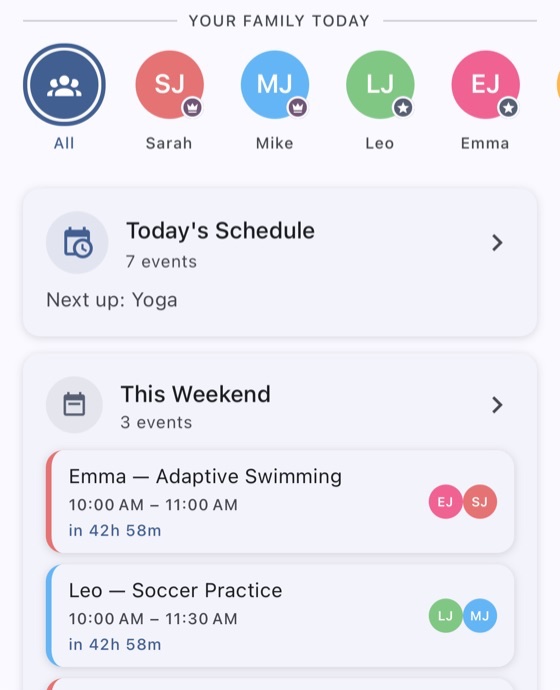
Swimming on Tuesday, the appointment on Thursday, who is collecting whom. If you forget it, nobody catches it.
Small text, busy screens, no pictures, no timers. If your child needs a little more support, most family apps simply do not fit.
No setup call, no training, no spreadsheet to import.
Add your children in a minute each. They join by scanning a QR code on your phone — they never need an email address or a phone number of their own.
Group routines into morning, lunch and evening. Add a timer where a child rushes, a picture where words are hard, a step-by-step list where it helps.
Your child opens their own screen, sees what is next, and ticks it off themselves. You see it happen without asking once.
Every child gets their own profile, and it changes the app rather than asking the child to cope with it.
None of this sits behind the paywall. It is the reason the app exists.
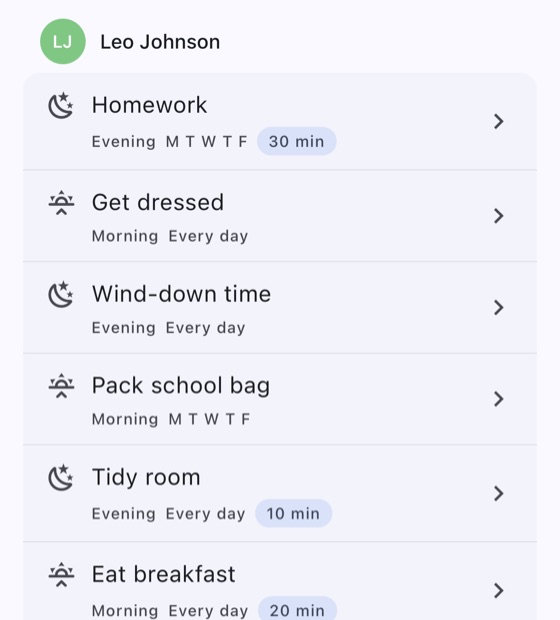
Set them once. They repeat on the days you choose, reset every morning, and stay visible to the child they belong to.
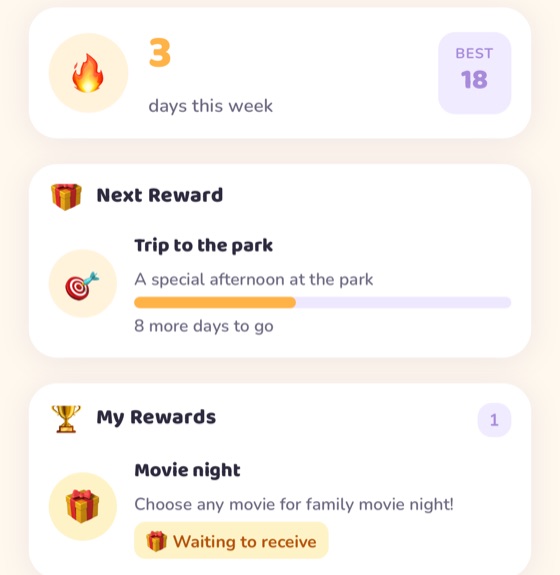
Finishing the day builds a streak. Streaks earn rewards that you define — screen time, a trip to the park, whatever actually works in your house.
We charge for scale, not for switches. Every feature is in the free plan.
Actually free. The free plan has no time limit and no ads. It has size limits — four children, twelve routines, forty events a month — and you only pay if you pass them. Every accessibility feature is free on every plan, permanently.
There is no fixed age range, because the app changes rather than the child. Each child's profile sets a reading level — pictures, simplified wording, or standard text — so a four-year-old who cannot read yet and a twelve-year-old who wants a plain schedule can share the same family and see completely different screens. If your child can follow a picture of a toothbrush, they are old enough.
No. A child joins by scanning a QR code on your phone — no email, no phone number, no password. They can use a shared tablet, an old phone, or a tablet on the kitchen wall that shows the whole family's day.
That is what the app was built for. Every child gets their own profile, and it changes the app rather than asking the child to cope with it: text size and spacing, reading-friendly typefaces, contrast, pacing, visual timers, advance warning before things change, step-by-step instructions, words read aloud, and how much celebration they want at the end. It takes a minute to set up and you can change it whenever. All of it is free on every plan, so you can find out whether it fits before spending anything.
Google Calendar syncs into FamSynq on the free plan, so your work diary appears alongside the family's day. Premium adds writing events back out and connecting more than one account.
It is stored in Google Firebase and used to run the app — nothing else. We do not sell it, we do not advertise against it, and we do not build profiles of your children. You can delete your family and everything in it from inside the app. The full detail is in the privacy policy.
English, Spanish, Norwegian and Romanian — the whole app, including the parts children read, not just the menus.
iPhone and iPad via the App Store, Android phones and tablets via Google Play.
Ten minutes to set up. Free to keep. Nothing to cancel if it is not for you.
No ads, no card required to start.
 FamSynq